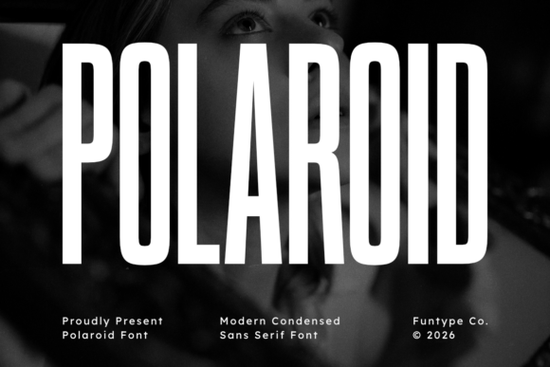
If you're a designer or print-on-demand seller looking for a font that makes a bold statement without taking up too much horizontal space, the Polaroid Font is worth a close look. This condensed sans serif typeface carries a tall, narrow silhouette with deep vertical contrast, giving it a vintage-meets-modern feel that works especially well for headlines, film posters, and packaging. Unlike many condensed fonts that feel cramped, Polaroid keeps each letter wide enough to remain legible at small sizes, yet tall enough to tower over competitors when used in large display formats.
Many designers struggle to find a condensed font that balances nostalgia with a clean, professional look. Polaroid Font manages to do both. Its geometric block construction and sharp corners remind you of 1970s signage, while the smooth curves and consistent stroke width keep it firmly contemporary. Whether you're designing a retro-style brand identity or a slick merchandise label, this font gives you that confident, polished appearance without shouting.
How does Polaroid Font perform in print-on-demand and packaging?
For sellers on platforms like Printful or Redbubble, typography can make or break a product. Polaroid Font excels on apparel, notebooks, and even drinkware because the condensed form allows you to fit longer words like "vintage" or "collection" onto a single line without shrinking the font size. The OTF and TTF formats work seamlessly with Adobe Illustrator, Canva, and even Cricut Design Space so you can upload it directly and start experimenting right away.
When used on product packaging, the tall letterforms draw the eye vertically, making even a small box feel premium. Pair it with a simple geometric icon or a retro color palette, and your product immediately looks like it belongs on a shelf next to well-known lifestyle brands.
Is Polaroid Font suitable for cinematic and music posters?
Absolutely. The font's strong vertical contrast where the thick vertical strokes stand out against thinner horizontal ones creates a dramatic effect that's perfect for film credits, band merchandise, and concert posters. It gives off a subtle late-20th-century movie billboard vibe without feeling dated. If you're working on a poster for a dark thriller or a synthwave album, try Polaroid in all caps with generous tracking (letter spacing) for maximum impact.
For a softer look, use it in sentence case with a script companion underneath. You can even layer it over textures or gradients the font's clean lines hold up well against busy backgrounds.
What other fonts pair well with Polaroid Font?
Pairing is where this typeface really shines. Because it's condensed and geometric, it works beautifully with:
- Rounded sans serifs (like Hoodie Font) for a friendly, casual contrast.
- Handwritten scripts (like Fantastic Moment Font) to soften the rigid structure.
- Other condensed styles (like Think Loved Font) if you want a layered, editorial look.
For your own saved projects, you can always come back to the Polaroid Font product page to download the files again or check for updates.
Can beginners use Polaroid Font without design experience?
Yes. The file package includes both OTF and TTF, which install in seconds on Windows or Mac. Even if you only use basic software like Canva, you can simply upload the font and start typing. The default letter spacing is well calibrated, so you don't need to adjust kerning manually for most projects. For print-on-demand beginners, this means less time fiddling with settings and more time creating mockups that sell.
Practical checklist to get the most out of Polaroid Font
Before you start your next project, run through this quick checklist to ensure your typography works effectively:
- Test at different sizes – Polaroid shines at 48pt and above for headlines; for body text, keep it above 14pt to maintain legibility.
- Adjust tracking for all caps – Increase letter spacing by 10–20% when using all uppercase to prevent the letters from looking too tight.
- Pair with a simple background – Because the font has strong vertical contrast, avoid busy patterns directly behind the text.
- Use a contrasting weight companion – If the Polaroid Font family doesn't include a lighter weight, combine it with a thin sans serif like Montserrat Light for a sophisticated hierarchy.
- Export in high resolution – For print-on-demand, always export at 300 DPI to keep the crisp edges of the font.
Next step: Download the Polaroid Font from Creative Fabrica, open your design software, and create a mockup of your best-selling product using the checklist above. You'll see how a single font can transform your entire brand's look.
Get Started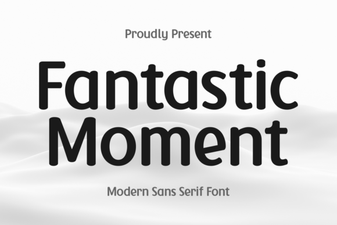 Fantastic Moment Font for Creative Projects
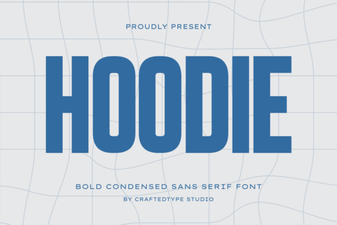 Creative Hoodie Font Designs for Your Diy Projects
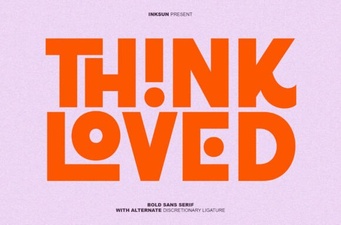 Think Loved Font: Design Ideas for Creative Projects
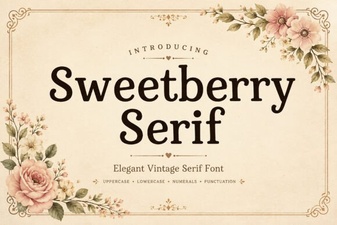 Sweetberry Serif: Elegant Typography for Creative Projects
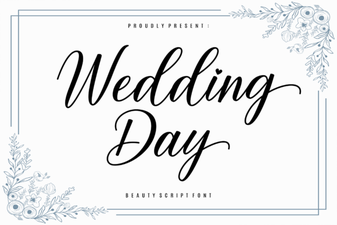 Perfect Wedding Fonts: Ideas & Inspiration
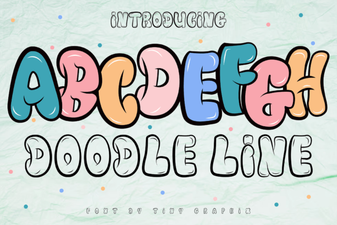 Fun Fonts for Sketching & Creative Projects