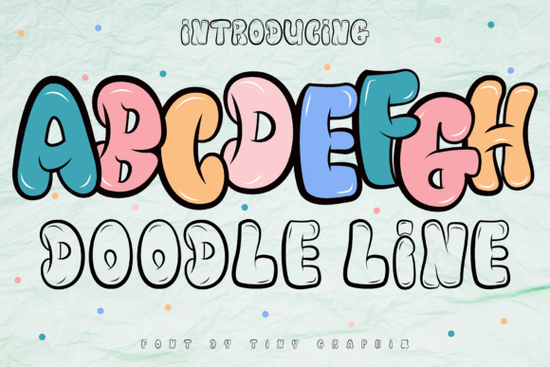
If you're looking for a graffiti font that actually looks hand-drawn rather than overly polished, Doodle Line Font might be exactly what your project needs. It's a display typeface built around bold, uneven strokes that mimic marker-on-paper energy, which means it works well for anything that needs to feel spontaneous and urban.
What makes Doodle Line Font different from other graffiti fonts?
Most graffiti fonts fall into two camps: too clean (they look like someone copied street art with a ruler) or too messy (they're unreadable). Doodle Line Font sits somewhere in the middle. Each letter has that rough, sketched quality you'd expect from a real marker drawing, but the shapes are consistent enough that people can actually read what you've written. That makes it useful for logos and short headlines where you want attitude without sacrificing clarity.
The font includes uppercase and lowercase characters, numbers, and basic punctuation. The lowercase letters tend to be slightly more compressed, while the uppercase ones stretch out and give you that bold, in-your-face look. If you're working on branding for a skate shop, a gaming channel, or a streetwear line, this is the kind of typeface that adds personality without looking cheap.
Can you use Doodle Line Font for print-on-demand products?
Yes, and that's one of its strongest applications. Print-on-demand sellers often struggle to find display fonts that stand out on apparel while still being legible at smaller sizes. Doodle Line Font handles this reasonably well because the strokes are thick enough that they don't disappear when printed on fabric. Try it on:
- T-shirt graphics with short slogans
- Hoodie logos or chest prints
- Phone case designs
- Tote bags with bold statements
Because the font has that hand-drawn texture, it pairs nicely with solid backgrounds or simple illustrations. You don't need much else going on the letters themselves carry the visual weight. If you're building a collection of streetwear-inspired designs, consider combining this with complementary display fonts for variety across your product line.
Is this font good for game design and UI elements?
The product description specifically mentions games, and there's a reason for that. Doodle Line Font works well for game titles, menu headers, and dialogue boxes in projects with cartoon or comic-book aesthetics. The irregular line thickness gives it a playful feel that fits mobile games, indie titles, and children's apps. Just keep in mind that it's a display font don't try to use it for body text or instructions, or readability will suffer.
For game designers working on character-driven narratives or action games, this font can help establish tone quickly. A title screen using Doodle Line Font immediately tells the player this isn't a serious simulation game; it's something more lighthearted or energetic.
Which design software supports Doodle Line Font?
Like most display fonts from Creative Fabrica, Doodle Line Font comes in standard formats that work across major design tools. You can install it on both Windows and Mac systems, and it's compatible with:
- Adobe Photoshop and Illustrator
- Canva (after installation)
- Procreate (if you have the font installed on your iPad)
- Affinity Designer
- Silhouette Studio and Cricut Design Space
For cutting machine users, this font is particularly useful because the thick strokes mean less intricate cutting, which reduces tearing on materials like vinyl and heat transfer paper. You can learn more about similar display options in the vintage display fonts collection if you want to explore alternatives.
How does Doodle Line Font compare to other graffiti fonts?
If you've used Doodle Line Font alongside similar typefaces, you'll notice it leans more toward the "doodle" side than the "wildstyle" side of graffiti lettering. It doesn't have the elaborate overlaps and 3D effects that some graffiti fonts include, which actually makes it more versatile for everyday projects.
For comparison, you might also look at other display typefaces that offer different levels of decoration and complexity. Some fonts in this category are more ornate, while others are stripped back. Doodle Line Font sits comfortably in the middle enough character to stand out, simple enough to use without fighting the design.
If you're working on projects that need a softer or more playful look, the Rainbow Memories font offers a different kind of display personality that pairs well with hand-drawn elements.
Practical tips for using Doodle Line Font effectively
To get the most out of this typeface, keep a few things in mind:
- Use generous spacing. Doodle Line Font has irregular stroke widths, so letters can look crowded if you don't adjust tracking. Give them room to breathe.
- Pair it with a simple sans-serif for any secondary text. The contrast between a clean, modern sans-serif and this rough graffiti font creates visual interest.
- Color choice matters. Because the font already has texture, stick to solid colors rather than gradients or patterns. Let the letter shapes do the work.
- Test at different sizes. What looks great on a poster might feel overwhelming on a business card. Always preview your design at the actual output size.
Next step: Download Doodle Line Font, open your design software, and try setting one word at 200pt on a dark background with a bright color. That's where this font really shines. Adjust tracking until the letters feel balanced, then build your layout around that single word.
Get Started Unlock Retro Charm: a Guide to Magic Fonts
 Rainbow Darling Duo Font: Pairing Ideas for Creative Design
 Happy Brush Font: Creative Designs & Inspiration
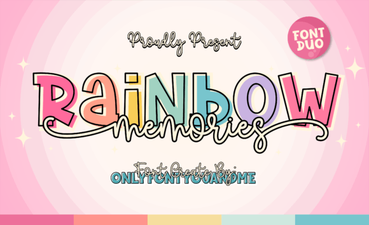 Rainbow Memories: a Font for Creative Expression
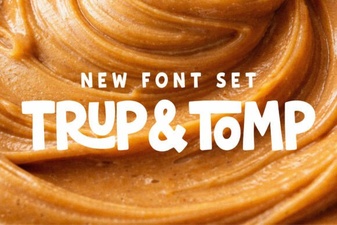 Unlocking Creativity with Trup & Tomp Fonts
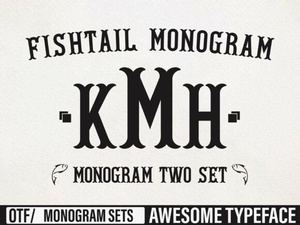 Fishtail Monogram Fonts for Handcrafted Projects